


Spuds
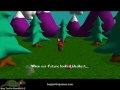
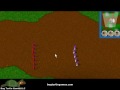
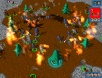
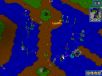
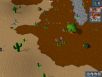
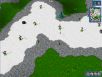
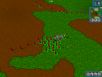
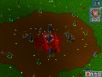
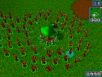
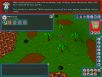
Spuds is an offbeat game that is part strategy and part puzzle-solving. You will build a stable of Spuds (Synthetic Pattern-matching Universal Defenders) that will fight for you, die for you, race for you, and solve puzzles for you in an effort to overcome an alien invasion.
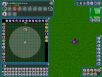
You define your spuds' behaviors using built-in easy-to-use visual tools, and then can lead them through a single-player campaign or command them in a variety of online multiplayer scenarios.
Reviews
• PlayThisThing - "...it's innovative, and a nice effort for a low-budget indie title."
• Out of Eight PC Game Reviews - "Overall, Spuds is a solid strategy game that successfully marries diverse gameplay, robust content, and a well-designed interface."
F.A.Q.
I've played the demo. Why should I buy Spuds?
There is so much more in the complete game, such as different spud sizes, more missions, new weapons, more ways to control your spuds, and more network game modes. Lots of stuff! And besides, you wouldn\'t want the Menace to take over the Earth would you? Earth needs your help!
After I purchase Spuds, can I install it over the demo?
Yes, you can install the purchased version of Spuds over the demo. Note that player data is retained during the install/uninstall process so that you can continue Spuds where the demo ended. If you experience any problems installing over the demo, simply do an uninstall of Spuds followed by a clean install.
Why does Windows Vista User Account Control (UAC) appear with the message, "An unidentified program wants to access your computer", when I try to run Spuds or its installer?
For ease of porting, we decided to make Spuds run with administrator rights on Windows Vista. The User Account Control will ask for permission everytime Spuds attempts to run as administrator. Spuds needs this permission in order to write player data into the Program Files folder. If Spuds is not run with administrator rights, you won't be able to save your player's progress. In the future, we will try to make our products work seamlessly with Windows Vista.
When I check the "Launch Spuds" option in the Spuds installer and then exit, why does Spuds abort with an error such as "The requested operation requires elevation"?
The quick solution is to simply launch Spuds once the installer exits. The problem occurs because Spuds does not have administrator rights when launched from the installer.
Why do I get the error "d3dx9_36.dll not found" when I try to run Spuds?
You will need to update your DirectX installation to the latest version in order to play Spuds. You can update your DirectX here.
How many tutorials can there be in one game? Has Spuds broken a tutorial record?
Yes, we believe Spuds has shattered the record for the number of tutorials included in a computer game. We aimed high and we delivered.
Since Spuds is fairly unique and involves an original interface for creating behaviors, there is a longer learning curve for it compared to most computer games. To make the game accessible to as many users as possible, we attempted to create a tutorial system to step the user through the basics. From the start of this project, we realized that the biggest risk in making Spuds was that the user would grow tired of the tutorials and quit. However, in order to understand and appreciate the gameplay that comes later in Spuds, we feel the instruction is worthwhile. We recommend playing all of the tutorials as each one contains important information. If you really feel like skipping a specific tutorial, see the next question.
Argh! Another tutorial! How can I skip it?
If you must skip a tutorial, first click the "Play Next Mission" button from the mission map (or click the planet that represents the tutorial you want to skip). On the tutorial briefing screen, instead of clicking the "Start Tutorial" button, select the "Skip Tutorial" button to the right of it. Voila! Tutorial skipped!
I'm currently playing through a tutorial and I am falling asleep. How do I abort it?
You can press the Esc key to abort tutorials as well as missions.
I cannot win a particular mission no matter how hard I try. What should I do?
Make sure you look at all of the professor's hints for that mission. Think about what the professor is saying and how you might create spuds to execute his proposed plan for victory. Dabble in the training grounds with different ideas until you find something that works.
That being said, we realize that some missions are harder than others. You may even feel that some are impossible, but we want to assure you that all missions are winnable. If you are truly stuck, you may consider purchasing our Spuds Guide. See the next question for more details.
What is the Spuds Guide?
The Spuds Guide contains pre-made spuds and squads that can you use to win any mission in the game. It also includes an overview for each mission that describes the behavior employed by each winning spud and squad.
I won a mission in Spuds using a different strategy than the one outlined in the hints. Am I awesome or what?
Yes, you are awesome! Feel free to contact us with unique methods for winning particular missions. We would love to hear from you.